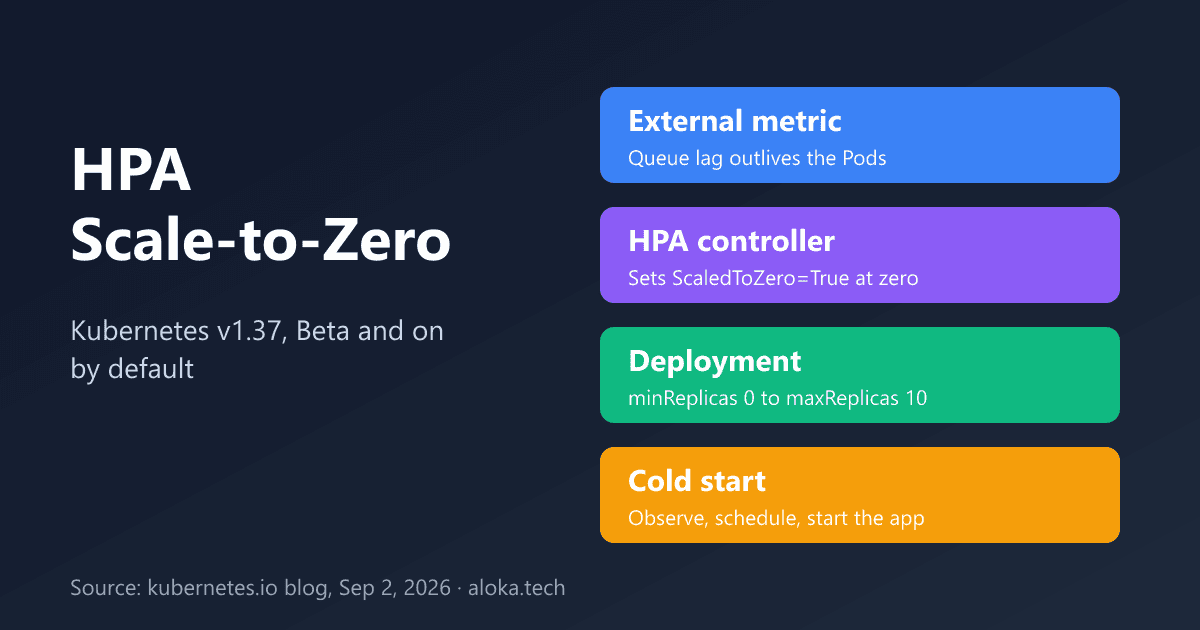
Kubernetes v1.37 enables HorizontalPodAutoscaler scale-to-zero by default in Beta. This analysis explains the metric constraint, the ScaledToZero condition, and the failure modes to plan for.
A queue consumer that sits idle for twenty hours a day still holds one Pod, and if that Pod reserves a GPU or dedicated CPUs, it still holds the hardware. The HorizontalPodAutoscaler (HPA) historically could not fix this: its floor was one replica. Kubernetes v1.37, released on August 26, 2026, enables HPA scale-to-zero as a Beta feature that is on by default. The engineering question is how can a controller scale a workload to zero and bring it back, when the usual CPU signal disappears with the last Pod?
Background: why zero was hard
Per the official v1.37 blog post, the first Alpha implementation shipped in Kubernetes v1.16 behind a feature gate. Before v1.37 you needed an add-on, an external component, or that Alpha gate to scale from zero. The work is tracked in KEP-2021, "HPA supports scaling to and from zero pods for object and external metrics". The post states that v1.36 added the ScaledToZero condition and the controller behavior that this release builds on, and that v1.37 turns the feature on by default after adding integration and end-to-end tests for scaling to zero and back from an external metric.
How it works
Two metric families, one constraint
CPU and memory metrics come from running Pods. At zero replicas there is nothing to measure, so there is no signal that could trigger a scale-up. Object and external metrics do not have this problem: a queue length exists independently of its consumers. The API server therefore rejects minReplicas: 0 unless the HPA contains at least one object or external metric; an HPA with only resource metrics is refused.
Zero versus paused
A Deployment at zero replicas is ambiguous. Setting replicas: 0 by hand has always paused autoscaling, and the HPA preserves that. The controller resolves the ambiguity with a status condition. When the HPA itself scales a workload from one or more replicas to zero, it records ScaledToZero=True. On later reconciliations that condition tells the controller it owns the zero state and should keep evaluating the object or external metric. After scaling back up it sets ScaledToZero=False with reason NotScaledToZero. A workload at zero without ScaledToZero=True stays paused.
Where the logic lives
The HPAScaleToZero feature gate is enabled by default in v1.37 on both kube-apiserver and kube-controller-manager. The API server accepts minReplicas: 0; the controller manager performs the condition-based scaling. This split is what makes version skew dangerous, as discussed below.
Deep analysis: the cold-start budget
The post is explicit about the trade-off: to serve the first unit of work, the HPA must observe the metric, a Pod must be scheduled, and the application must start. Each stage adds latency, and the first two depend on your cluster rather than on Kubernetes defaults I could verify:
- Observation delay. Metric scrape interval, adapter caching and the HPA sync period all add up. I did not find a documented end-to-end figure, so measure it in your own cluster.
- Scheduling delay. If the node pool has scaled down too, a node may need to be provisioned before the Pod can run.
- Start-up delay. Image pull and application initialisation.
The post notes this works well when work can wait in a durable queue. It also warns that Kubernetes Services do not buffer requests while no Pods are ready, so HTTP and other request-driven workloads need a separate buffering layer. That single sentence rules out the naive use of this feature for synchronous APIs.
Normal HPA behavior still applies. The default downscale stabilization window is five minutes, which prevents a short dip in queue length from removing every worker. It can be tuned through spec.behavior.scaleDown.
Comparison with alternatives
This is a qualitative comparison based on the post's own statements. I did not evaluate third-party autoscalers for this article, so the add-on row is deliberately general.
| Approach | Can reach zero? | Wakes from zero? | Note |
|---|---|---|---|
| HPA, CPU or memory only | No, API server rejects minReplicas: 0 | Not applicable | No metric exists without Pods |
| HPA, object or external metric (v1.37 Beta) | Yes | Yes, if the metric stays readable | Needs a metrics adapter; durable queue assumed |
Manual replicas: 0 | Yes | No, HPA will not wake it | Acts as a pause |
| Add-on autoscaler or request buffer | Depends on the add-on | Depends on the add-on | The post says HTTP workloads need a buffering layer in any case |
Practical example
The following manifest is adapted from the official post and assumes a Prometheus Adapter exposing queue_consumer_lag through the External Metrics API. I have not applied it to a cluster; it assumes Kubernetes v1.37 with default feature gates.
apiVersion: autoscaling/v2
kind: HorizontalPodAutoscaler
metadata:
  name: queue-worker
spec:
  scaleTargetRef:
    apiVersion: apps/v1
    kind: Deployment
    name: queue-worker
  minReplicas: 0
  maxReplicas: 10
  metrics:
  - type: External
    external:
      metric:
        name: queue_consumer_lag
        selector:
          matchLabels:
            name: worker_tasks
      target:
        type: Value
        value: "30"
With type: Value and a target of 30, the post says the HPA requests one replica for each 30 queued tasks, capped at ten. Before creating the HPA, verify the adapter returns data:
kubectl get --raw \
  '/apis/external.metrics.k8s.io/v1beta1/namespaces/default/queue_consumer_lag?labelSelector=name%3Dworker_tasks'
kubectl describe hpa queue-worker   # look for ScaledToZero and ScalingActive
Start the Deployment with at least one replica, because the HPA will not wake a workload it did not scale down itself.
Limitations and failure modes
- Metric outage equals stuck at zero. If the adapter cannot return the metric, the HPA reports
ScalingActive=Falsewith a reason such asFailedGetExternalMetric. A workload at zero stays at zero until the metric returns or someone scales it manually. Alert on this condition. - Version skew. A controller manager with the gate disabled treats
replicas: 0as a manual pause and may leave a workload at zero. During a control plane upgrade, wait until both components support and enable the feature before creating HPAs withminReplicas: 0. - Rollback. Before disabling the gate or downgrading, set affected HPAs to
minReplicas: 1or higher and scale any workload sitting at zero to at least one replica. - Request-driven traffic. No built-in buffering, as above.
- Still Beta. The post says the next step is gathering operational feedback before considering GA.
Engineering recommendations
- Use it first for queue consumers and batch processors, where waiting in a durable queue is already acceptable.
- Define a cold-start SLO and measure observation, scheduling and start-up time separately before choosing
minReplicas: 0overminReplicas: 1. - Treat the metrics pipeline as a dependency of availability: monitor it and page on
ScalingActive=False. - Keep the five-minute stabilization window until you have data showing a shorter one is safe.
- Gate rollout on control-plane version parity, and document the rollback steps above in your runbook.
Conclusion
HPA scale-to-zero removes an add-on dependency for queue-driven workloads, and the ScaledToZero condition is a clean answer to the pause ambiguity. Its safety depends on a metric that outlives your Pods. Next step: pick one idle-heavy queue consumer in a non-production v1.37 cluster, apply an HPA like the one above, and record how long it takes from enqueue to first processed message.
Sources
- Kubernetes v1.37: Scale Workloads to Zero with HorizontalPodAutoscaler (kubernetes.io, September 2, 2026)
- Kubernetes 1.37 release page (support dates and patch schedule)
- Kubernetes v1.37: Garhwal release announcement (consulted via search excerpts only)
Verification note: the mechanism, gate behavior and YAML come from the official post, which I read in full; I did not read KEP-2021 itself, run a v1.37 cluster or measure cold-start latency.